

Optimove
Step-by-step guide for Springbig + Optimove
Overview
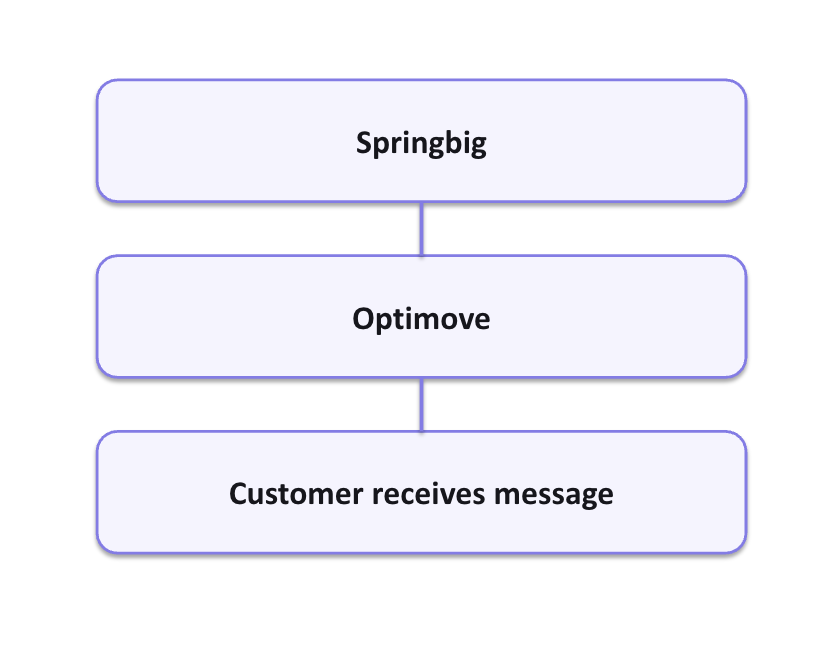
Develop message templates within springbig. These templates will sync to Optimove. Set up a campaign in Optimove and designate springbig as the communication channel. Select a synchronized template from the provided dropdown menu.
Preliminary Configurations
-
Ensure you have the following attributes enabled as Personalization Tags on Optimove
Personalization Tag Player_ID Mobile_Number Allow_SMS Allow_Email Allow_Push Email First_Name Last_Name Date_Of_Birth City Country Gender
Configuration Steps
Create a Template on Springbig
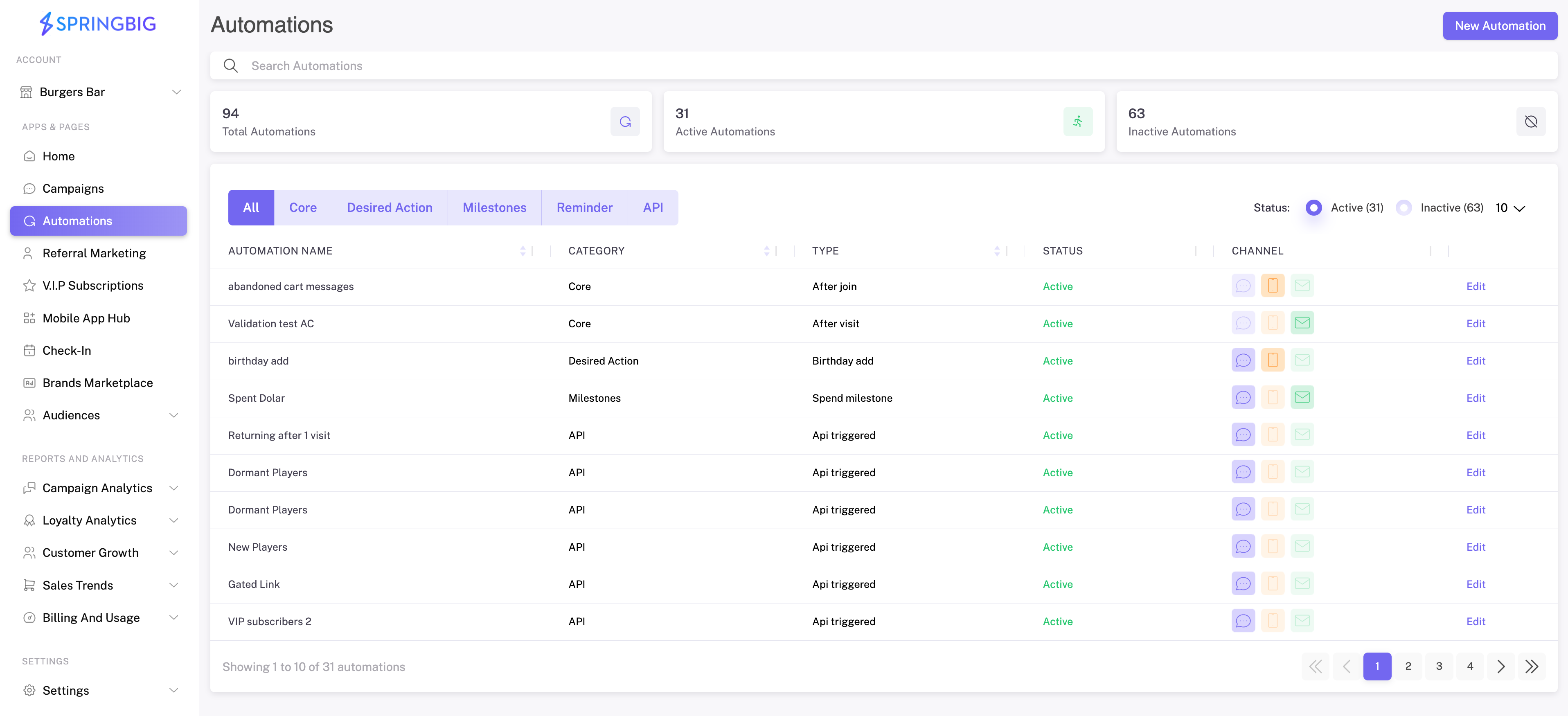
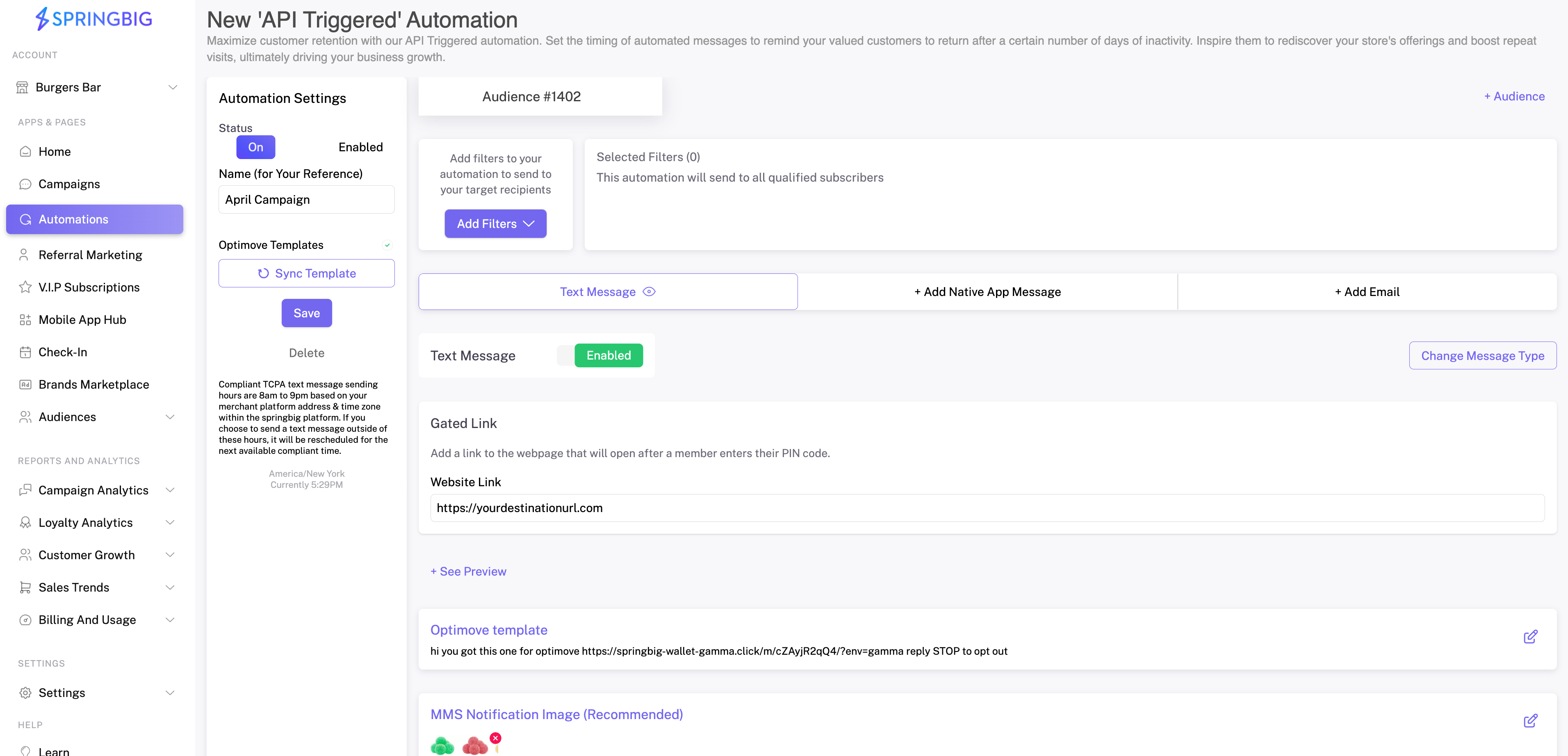
- Navigate to Automations. Select New Automation
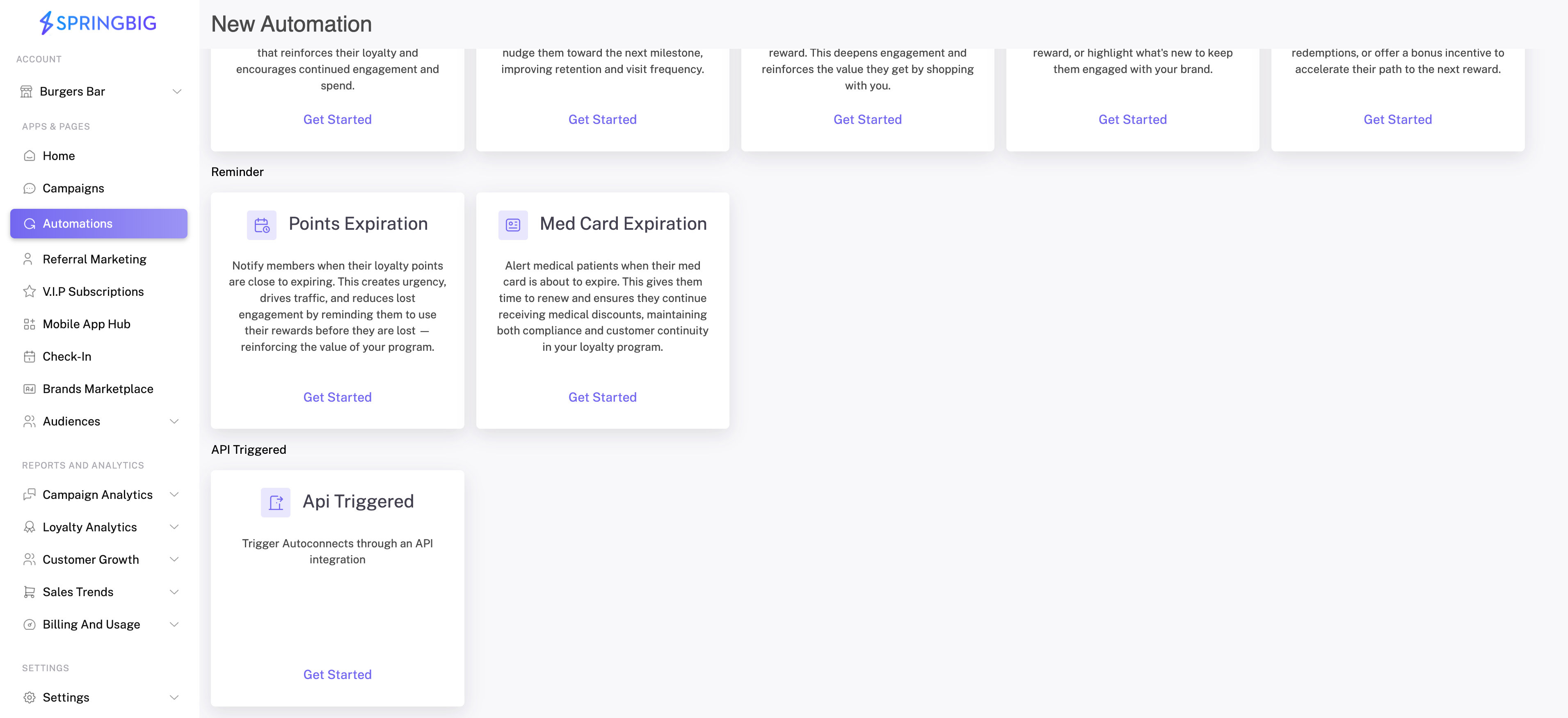
- Select API Triggered. If you do not see this option available, contact your account manager.
- Choose the message method. Select Gated Link
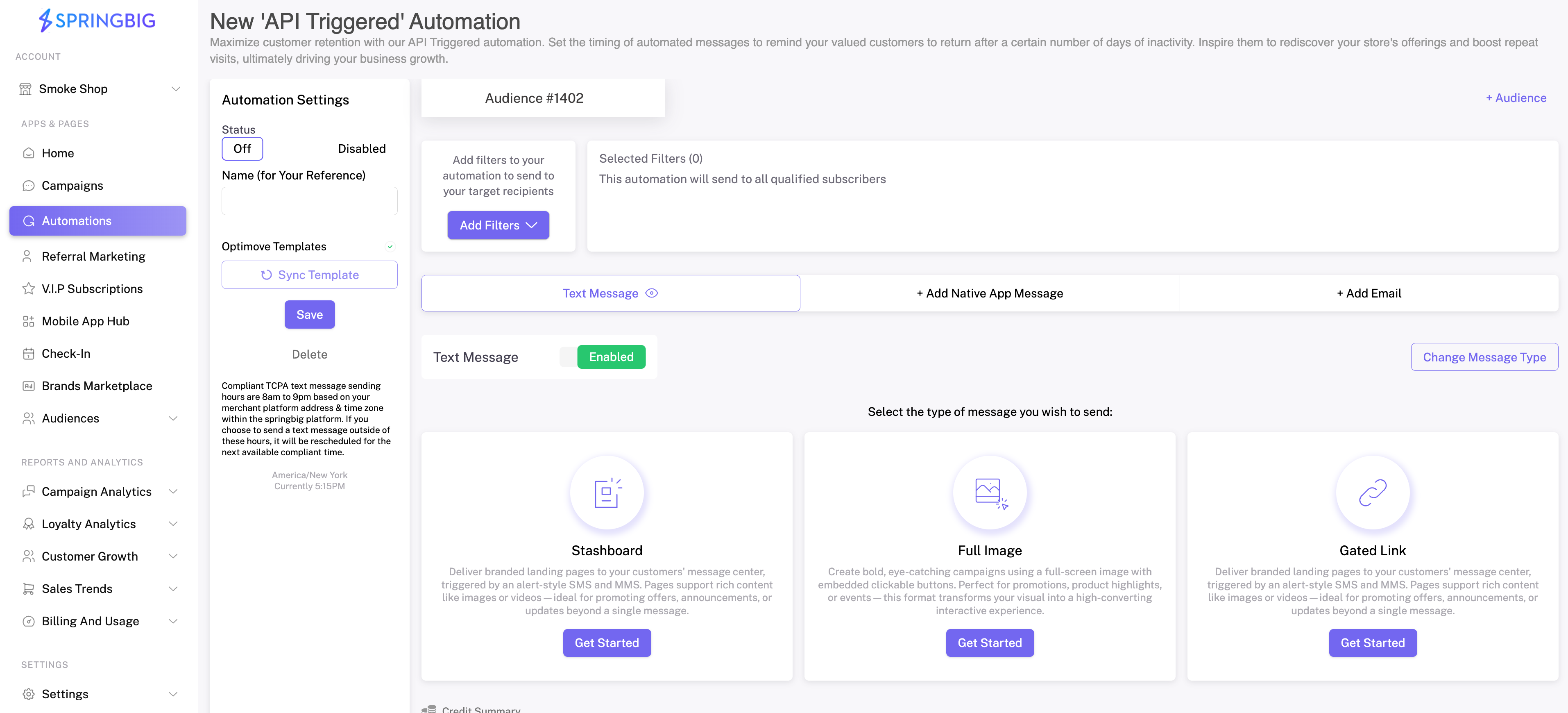
- Configure the Automation Template
- Enter a Name for your template (this name will be reflected in Optimove > Templates).
- Add a Website Link: this is the destination URL that the end-user will be redirected to when they click the link in the SMS.
- Add an SMS Notification Message: this is the message the end-user will receive via SMS (required).
- Add an MMS Notification Image: this image will be included in the message sent to the end-user (recommended).
- Select Save once you have finished configuring your campaign template.
- Toggle the status to Enable the Automation.
- Select Sync Template: Springbig will then sync the template to Optimove.
Execute a Scheduled Campaign on Optimove
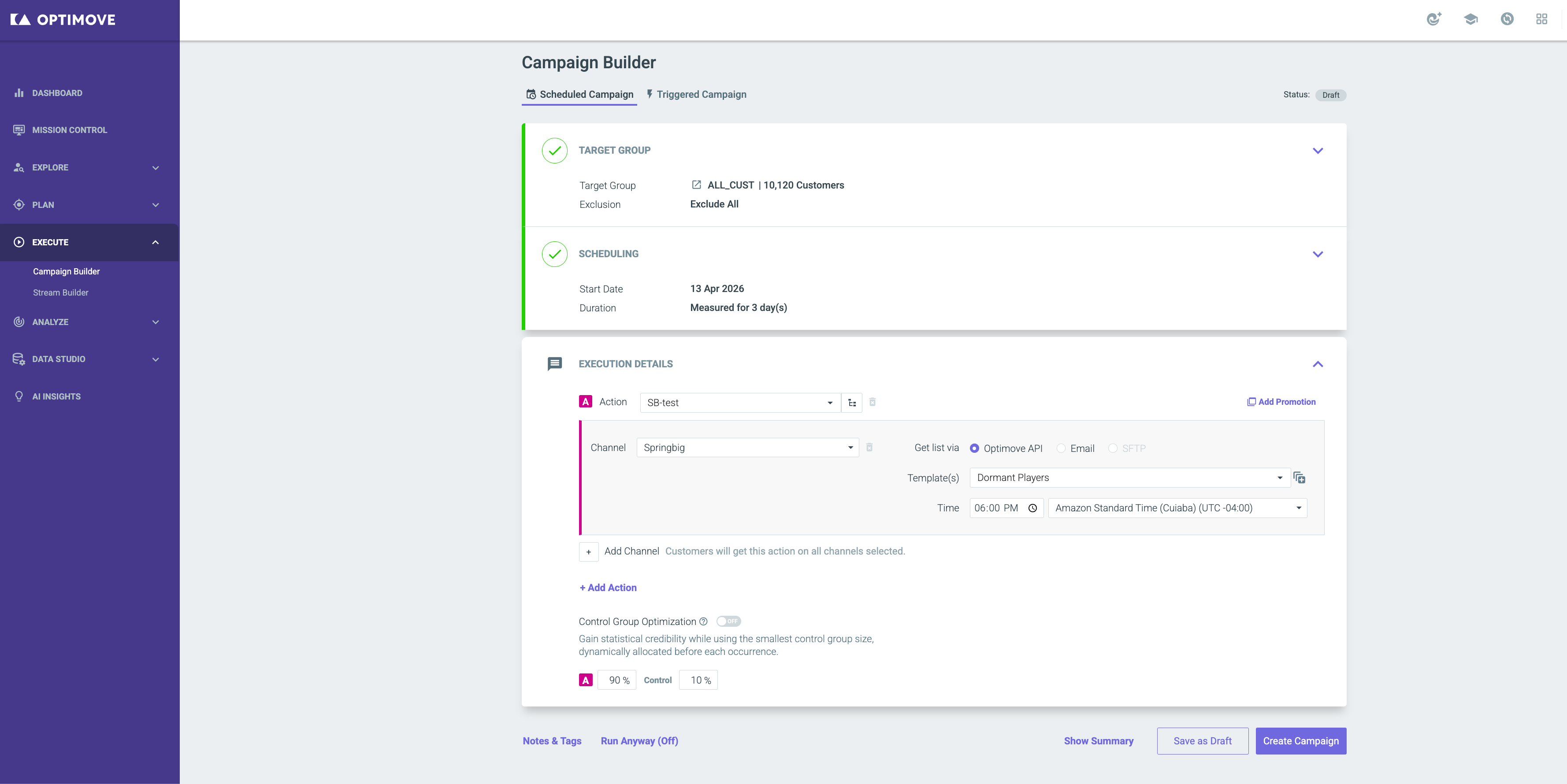
With the Execution Details on the configuration page to Schedule a Campaign on Optimove:
- Select Springbig as the channel.
- Choose the desired template. The template name will match the Automation created in Springbig.
- Complete Channel details.
- Select Create Campaign when complete.
At this point, Springbig receives the campaign and sends the message template to each user in the selected target group.
Reporting Metrics on Springbig
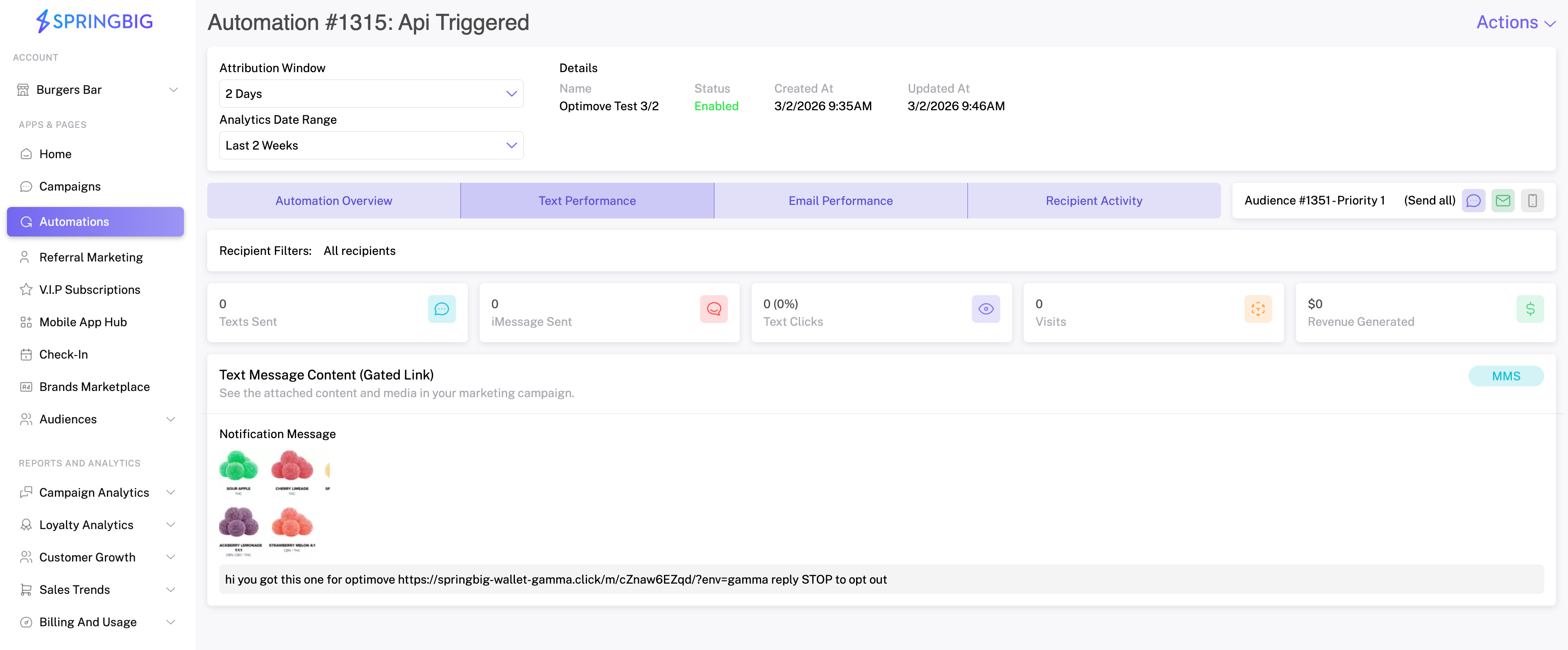
Track the historical performance overview of the campaign template.
- Select the Automation to view deliverability metrics.
Updated 5 months ago
Did this page help you?