

Send SMS campaign via Springbig
Creating an SMS Campaign with Springbig in CleverTap
Overview
This guide walks you through creating an SMS campaign in CleverTap using Springbig as the SMS provider. Leverage CleverTap’s powerful segmentation and Springbig’s SMS engine to send targeted, personalized messages directly from your CleverTap dashboard.
🛠 Setup Instructions
Step 1: Create a New SMS Campaign
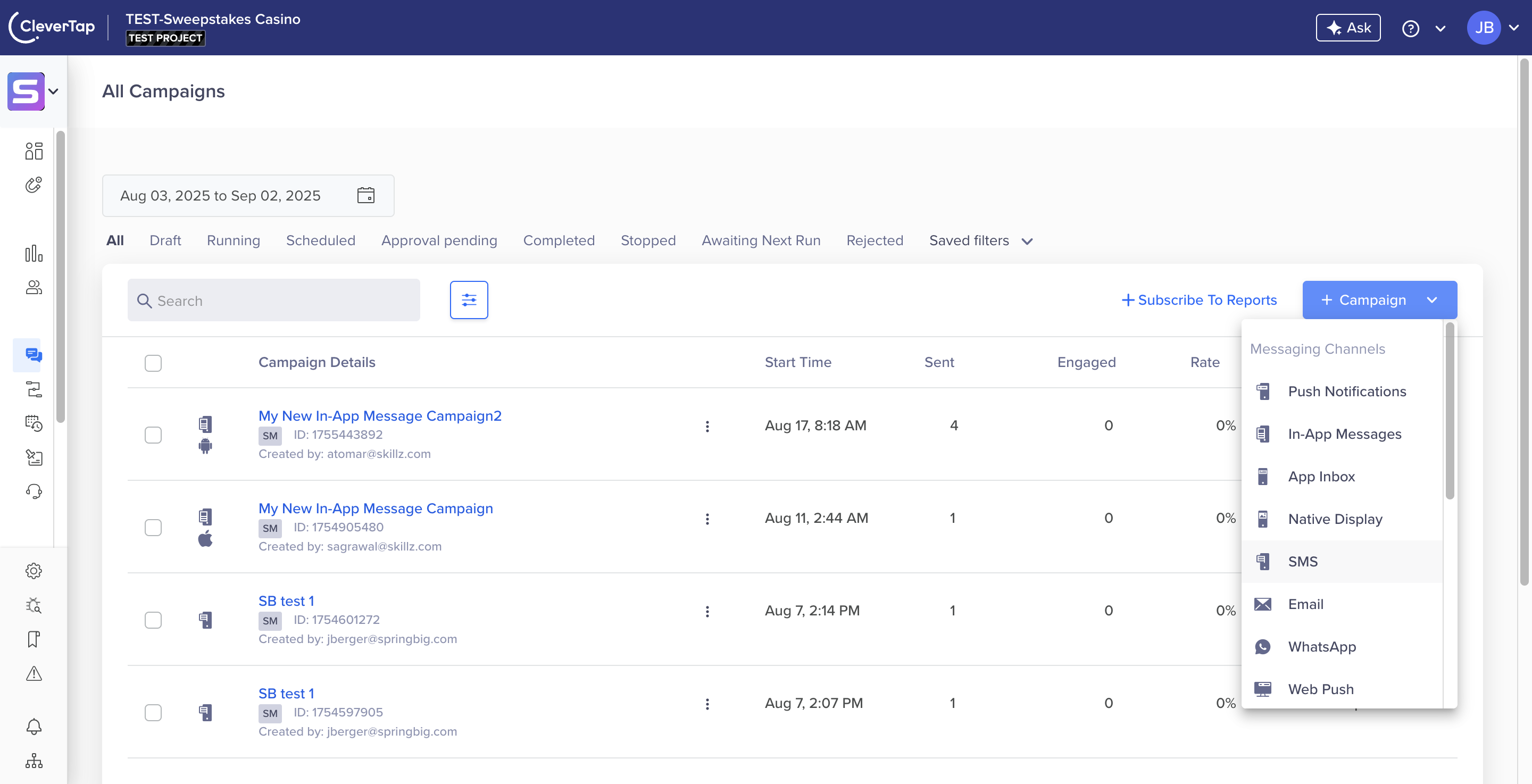
- In your CleverTap dashboard, locate the menu bar.
- Click Campaigns, then select New Campaign > SMS.

Step 2: Select Springbig as the SMS Provider
- Under Start here > SMS service provider Choose Springbig.
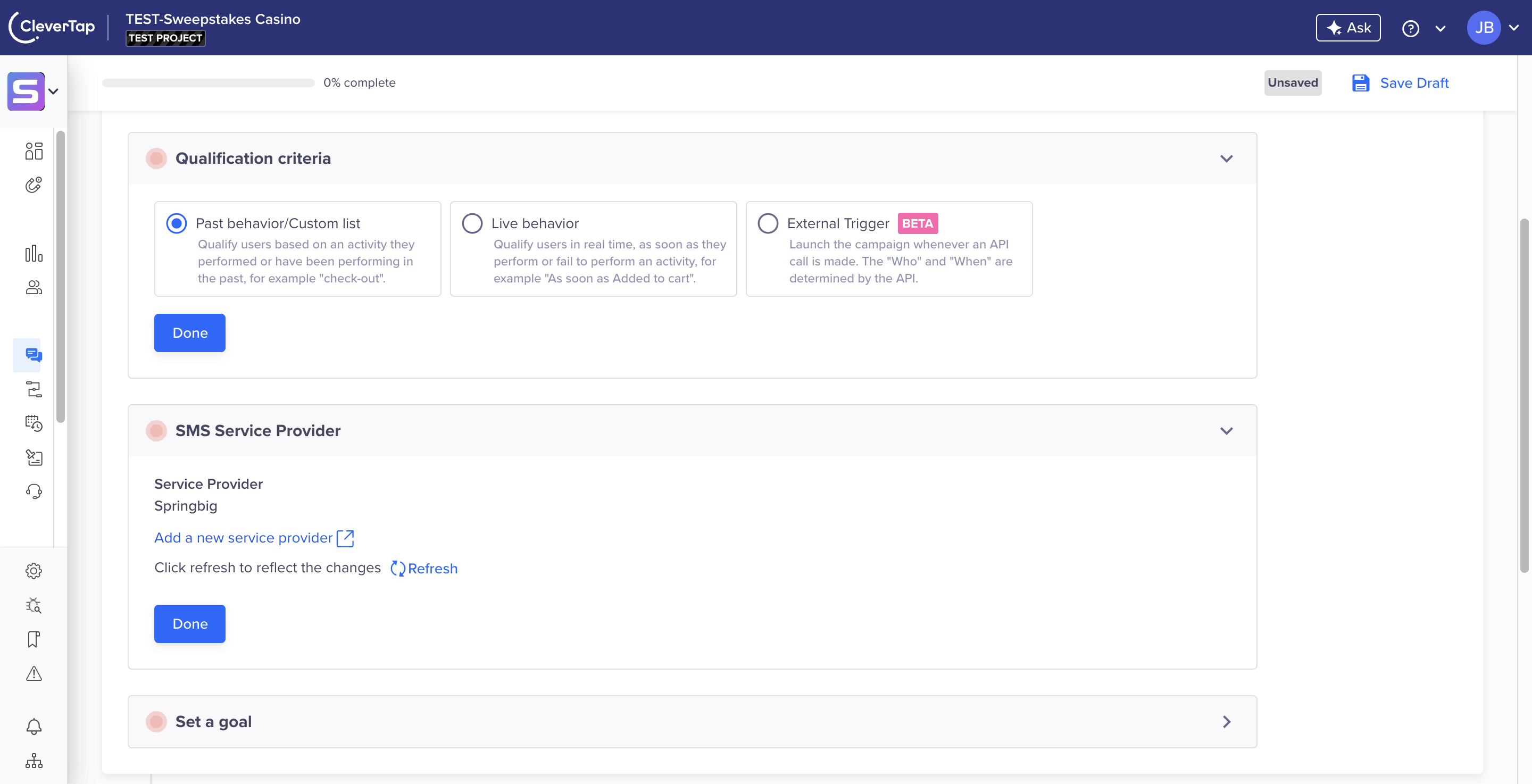
Ensure Springbig is already configured as a provider in CleverTap. Refer to the Springbig provider setup guide if needed. setup SMS provider

Step 3: Choose Message Type
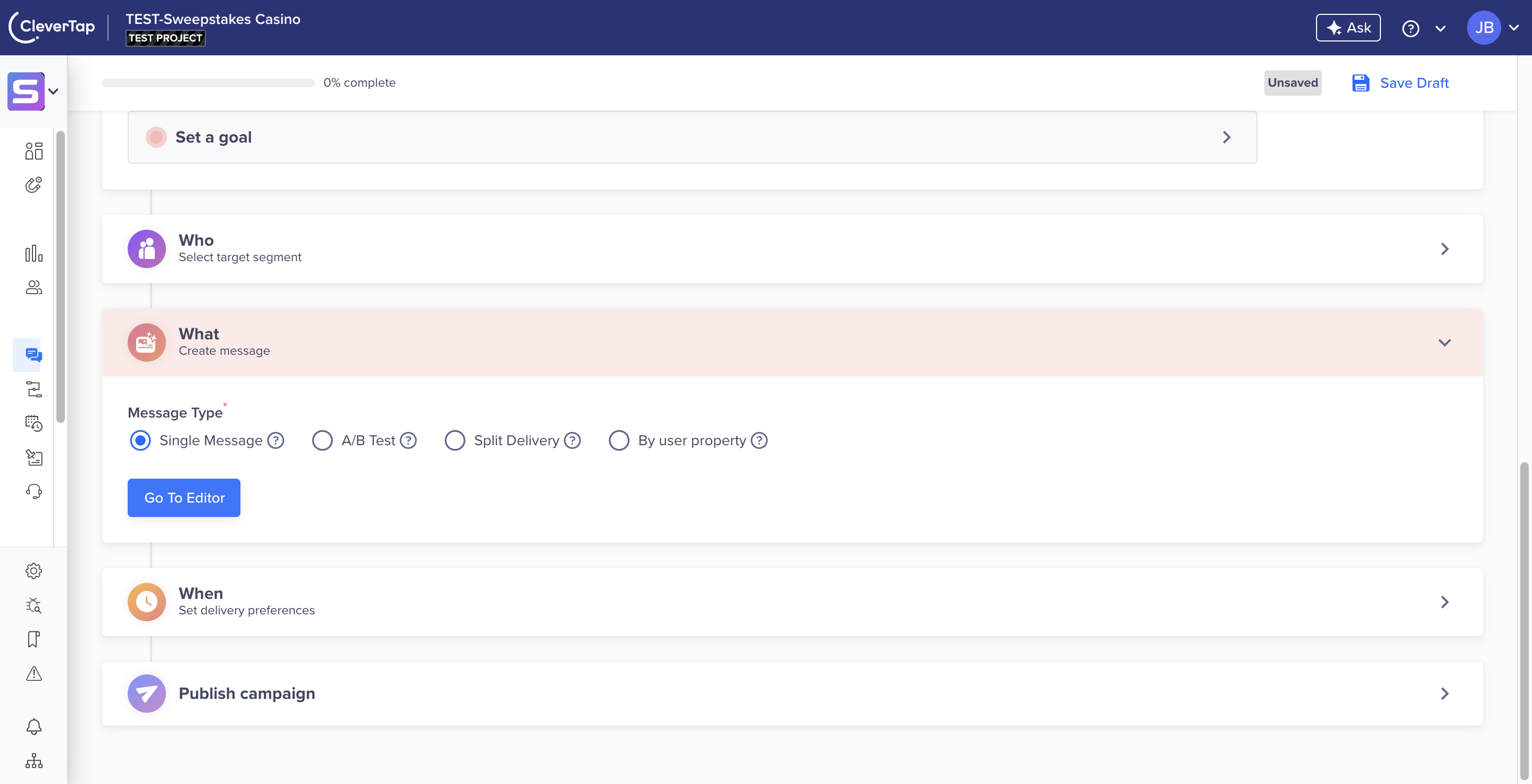
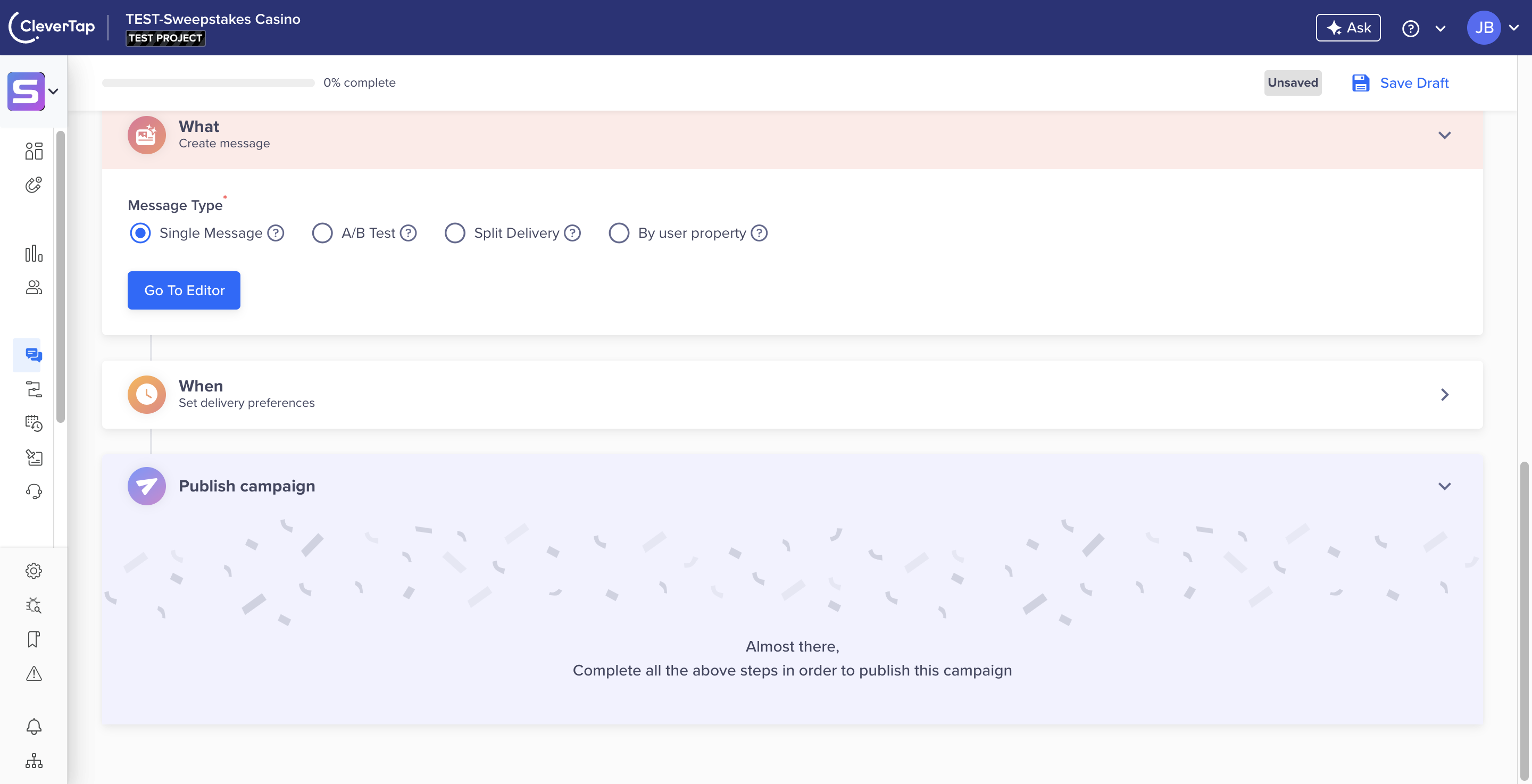
- In the What section, select the message type. For this example, choose Single Message.
- Click Go to Editor.

Step 4: Configure Message Details
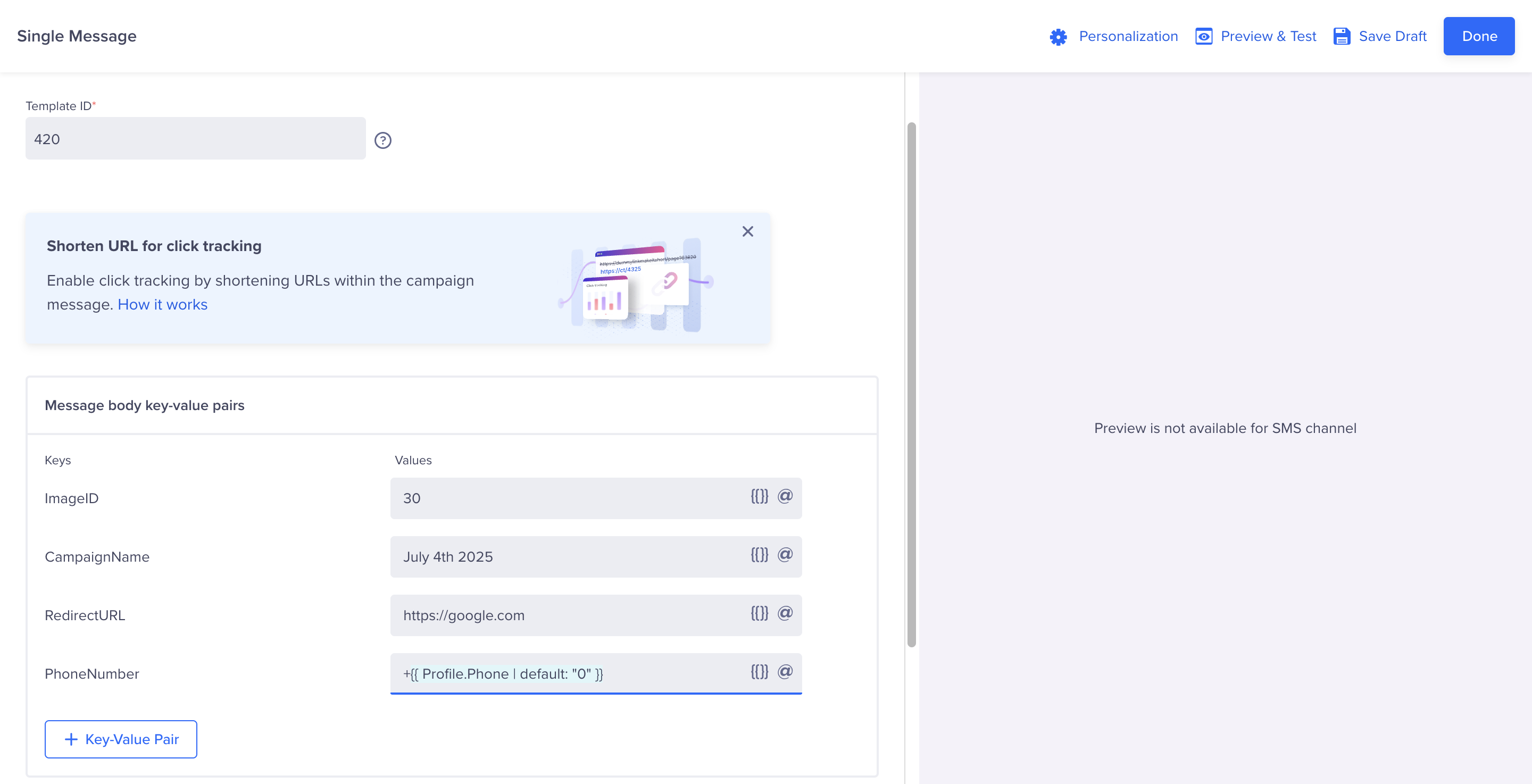
- Fill in the following fields:
- Template ID: The ID for the template message you want to send. Contact your Springbig Account Manager (AM) for this ID.
- ImageID: The ID for the template image. Contact your Springbig Account Manager (AM) for this ID.
- CampaignName: Name your campaign for reporting and analytics purposes.
- RedirectURL: The URL customers will visit when clicking the link in the message.
- PhoneNumber: Use the dynamic field
+{{ Profile.Phone | default: "0" }}for the customer’s phone number. -
Make sure that the '+' is in front of the phone number, and you fill in a value for the default. You can use "0"
- Click Done.
Ensure you obtain the
Template IDandImageIDfrom your Springbig CSM to avoid errors in message delivery. This is how springbig knows which message and image you want to send in this campaign

Step 5: Publish Your Campaign
- Complete the remaining campaign details (e.g., Who, When, etc).
- Click Publish to launch your SMS campaign.
Once published, your SMS campaign will start sending messages via Springbig, driving engagement with your customers!
Updated 11 months ago